What Are USB 2.0 Ethernet miniHDMI 2.0a Ports?
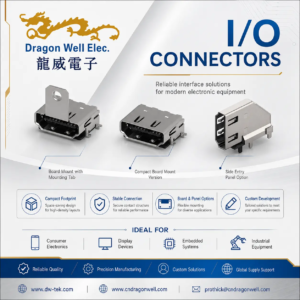
USB 2.0 Ethernet miniHDMI 2.0a ports are three of the most common interfaces used on compact embedded boards (SBC/IoT modules) to enable data, networking, and display output in a small footprint.
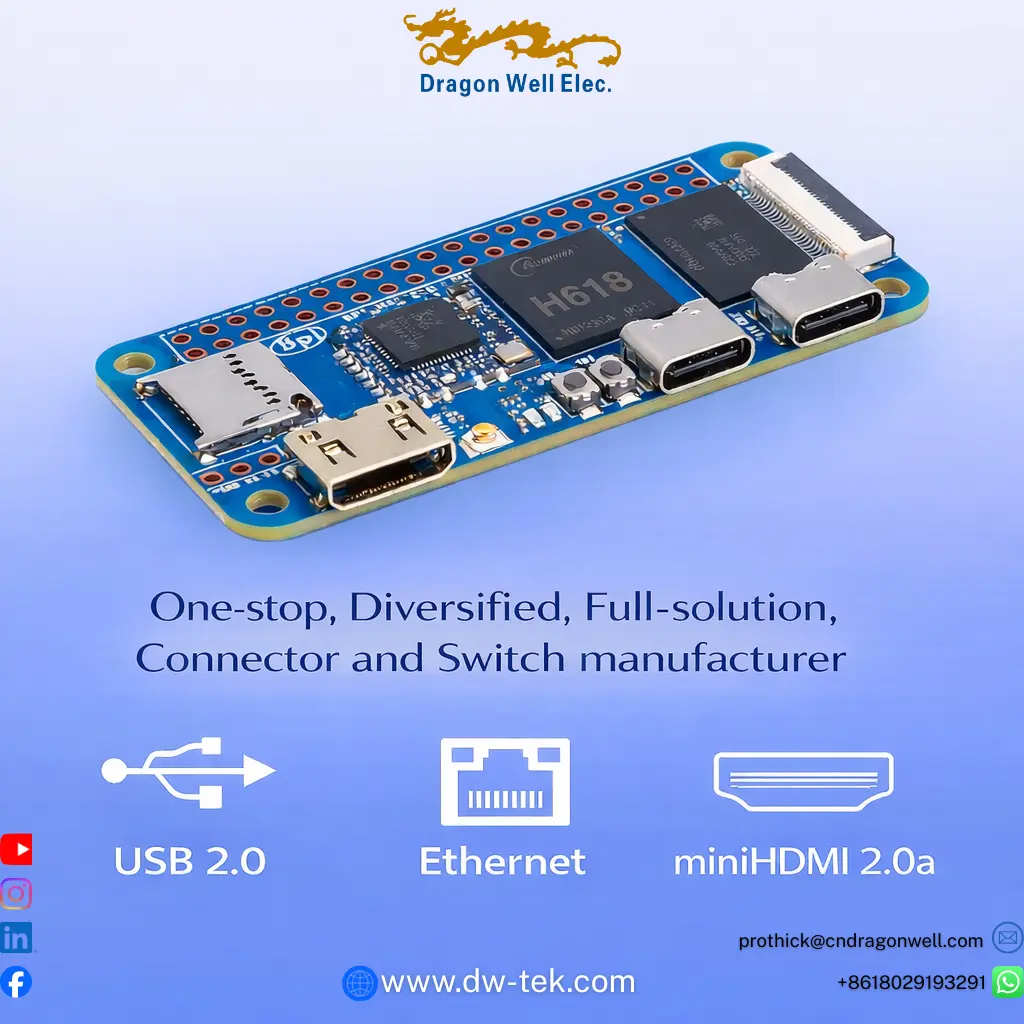
From your image, the board is a compact embedded platform with multiple high-density I/O connectors (including USB-C style ports on the PCB edge), plus a flat-cable (FPC) expansion connector—exactly the type of design where connector selection directly impacts reliability.
Why this matters: in real deployments (automation, kiosks, gateways, smart devices), connector failures are one of the biggest causes of returns—loose mating, cracked solder joints, poor shielding, or wrong mechanical retention.
Quick Overview of the 3 Interfaces
USB 2.0
USB 2.0 is still widely used for accessories and basic data expansion—keyboards, storage, Wi-Fi dongles, sensors, debug tools, and many embedded peripherals. In many products, USB 2.0 is “must-have” because it’s cost-effective and universally compatible.
Ethernet (RJ45)
Ethernet provides stable wired networking for devices that can’t risk wireless drops—industrial gateways, NVR/security systems, smart factory controllers, and signage players. When a product advertises USB 2.0 Ethernet miniHDMI 2.0a ports, Ethernet is usually the “reliability anchor” interface.
miniHDMI 2.0a
miniHDMI is used when the device needs a compact display output—portable or embedded systems, compact control panels, mini media devices, and test equipment. If your product is expected to output modern video reliably, connector quality and mechanical retention are critical.
9 Powerful Tips to Choose USB 2.0 Ethernet miniHDMI 2.0a Ports for a Reliable Design
1) Start from the real user environment (not just the datasheet)
If your board will live in a kiosk, factory, security cabinet, or moving equipment, vibration + repeated cable handling will punish weak connectors. A premium USB 2.0 Ethernet miniHDMI 2.0a ports design should assume real-world cable stress.
2) Prioritize mechanical retention (the #1 hidden failure cause)
Most field failures aren’t “electrical”—they’re mechanical:
- loose plug fit
- weak latch retention
- connector tilt from cable pull
- solder joint cracking from repeated bending
Choose connectors with strong shell design, stable mating, and correct anchor tabs for the PCB.
3) Match the connector to board thickness and soldering process
Small IoT boards often use thinner PCBs and tight component spacing. Make sure your USB 2.0 Ethernet miniHDMI 2.0a ports selection fits:
- PCB thickness tolerance
- reflow profile compatibility
- proper pad design and solder fillet area
- anchor strength for side-entry connectors
4) For Ethernet: decide shield strategy early (EMI + grounding)
Ethernet ports (RJ45) often need shielding continuity and proper grounding paths. If the product is used near power systems or motors, you’ll want:
- shielded RJ45 solutions
- stable shell-to-ground design
- consistent EMI performance across builds
This is why Ethernet is often the most sensitive part of USB 2.0 Ethernet miniHDMI 2.0a ports in industrial products.
5) For USB 2.0: confirm mating life and plug wear expectation
Ask: will customers plug/unplug frequently (service access), or will it remain fixed in place?
A good USB solution focuses on:
- reliable contact plating quality
- consistent shell alignment
- stable retention force over time
If you market USB 2.0 Ethernet miniHDMI 2.0a ports, USB must remain stable after repeated use.
6) For miniHDMI 2.0a: protect the connector from cable leverage
miniHDMI is compact—but the cable can create leverage. Use:
- strong shell + anchors
- correct keep-out area around connector for stress relief
- recommended insertion depth and casing window design
This reduces “intermittent display” complaints—one of the most frustrating failures in embedded products.
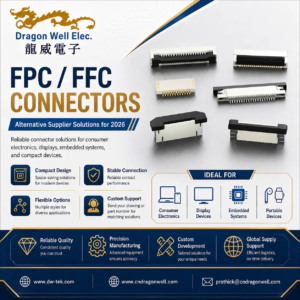
7) Add an FPC connector when you need clean expansion without bulk
Your image shows an FPC/FFC style connector on the board edge—great for compact expansion:
- camera modules
- display/adapter boards
- internal I/O breakouts
- customized daughter boards
This keeps the main board clean while still supporting customization (OEM/ODM projects).
8) Validate connector spacing for real cable heads (not just CAD)
A common mistake: CAD clearance passes, but real cable heads collide.
Before finalizing USB 2.0 Ethernet miniHDMI 2.0a ports, verify with physical samples:
- thick HDMI heads
- ruggedized RJ45 boots
- USB cable strain relief sizes
9) Choose a supplier that supports long-term consistency (not just one shipment)
Embedded products live long cycles. You need:
- stable BOM supply
- consistent plating and mechanical fit
- repeatable QC
- support for revisions and future scaling
For USB 2.0 Ethernet miniHDMI 2.0a ports, “same spec” is not enough—consistency across batches is what protects your product reputation.
Example Scenarios: Where These Ports Are Used
Smart Factory / Automation Gateway
Uses USB 2.0 Ethernet miniHDMI 2.0a ports for sensors/debug (USB), stable network backhaul (Ethernet), and local display/maintenance screen (miniHDMI).
Digital Signage Player / Kiosk Controller
Ethernet for always-on connection, miniHDMI for display output, USB 2.0 for service tools—exactly why these three ports often ship together.
Security / NVR Edge Device
Ethernet for camera network stability, USB for storage/service, miniHDMI for local monitor—connector reliability reduces downtime and service calls.
Why Work with Dragon Well
Dragon Well Electronics is a one-stop, diversified, full-solution connector and switch manufacturer—supporting OEM/ODM customers with reliable interconnect building blocks used in embedded and networking products.
We can support connector ecosystems that match this type of board design, including:
- USB connector solutions (USB 2.0 applications)
- Ethernet interface components (RJ45 and related)
- HDMI / miniHDMI connector options
- FPC/FFC connectors for compact expansion
- matching assemblies and cable solutions (project-based)
Internal links to add on your website (recommended):
- USB Connectors category page
- RJ45 / Ethernet Connectors category page
- HDMI / miniHDMI Connectors category page
- FPC / FFC Connectors category page
- Cable Assembly / Wire Harness page
Order & RFQ
Working on an embedded board that needs USB 2.0 Ethernet miniHDMI 2.0a ports and matching internal FPC expansion?
Share your drawing/BOM or target application, and we’ll recommend matching connector options for stable fit, manufacturing consistency, and long-term supply.
Websites:www.dw-tek.com | www.cndragonwell.com
Email:prothick@cndragonwell.com
Connect with Us
LinkedIn: https://www.linkedin.com/company/dragon-well-electronics-co-ltd
Instagram: https://www.instagram.com/dragonwell_electronics
Facebook: https://www.facebook.com/DragonWellElectronics