What Is a Computer Ports Guide?
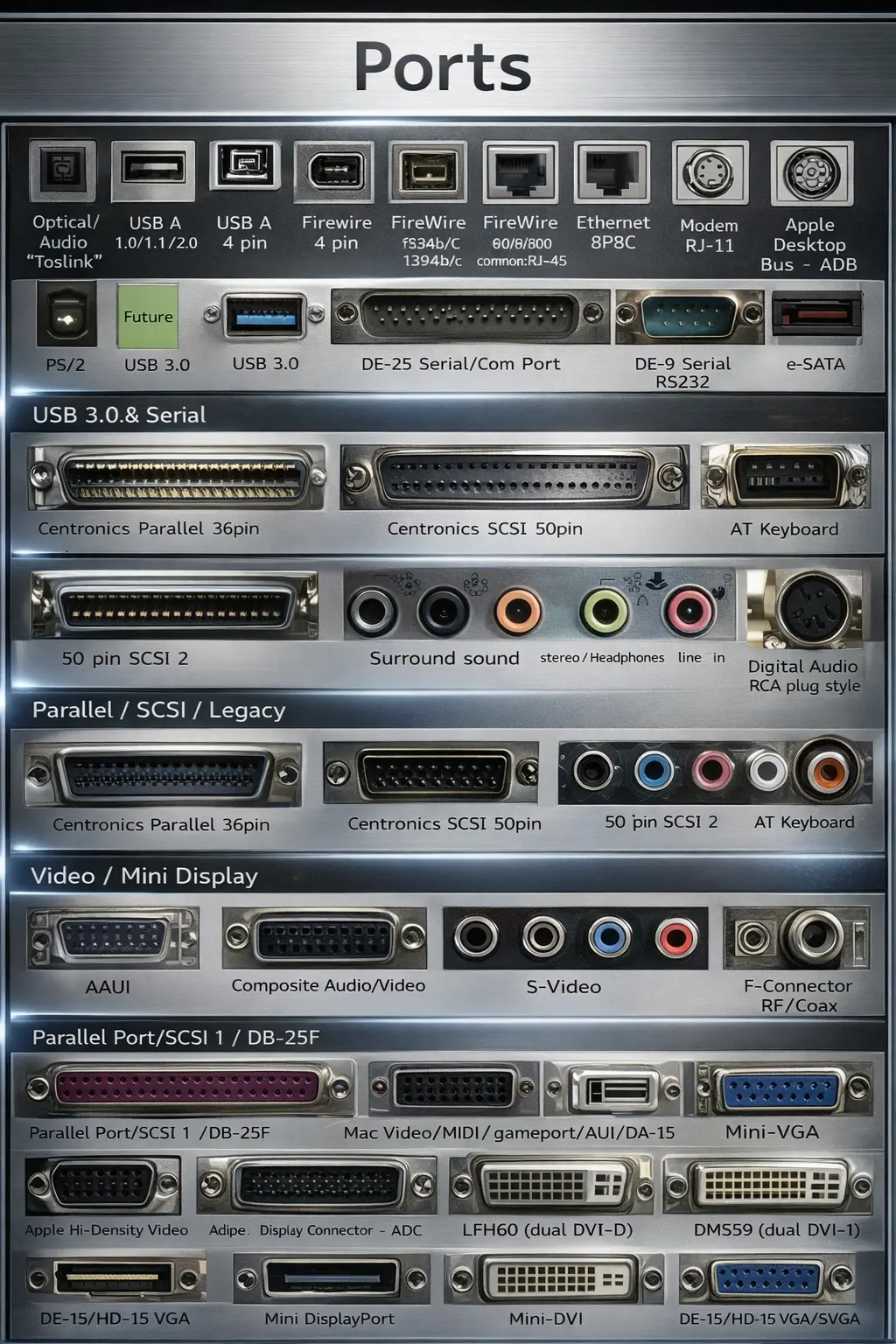
A computer ports guide explains the physical connection interfaces on PCs, laptops, monitors, and industrial systems. These ports are used to connect keyboards, mice, printers, storage devices, networks, audio devices, and displays—and in many environments, ports also support legacy equipment like service consoles and industrial machinery.
Knowing the most common ports helps you choose the right cable, avoid connection mistakes, and build a stable setup—whether it’s an office workstation, a factory panel PC, or a networked system.
Quick Overview of Commonly Used Computer Ports
Below is a simplified computer ports guide overview based on the most common categories:
USB Ports (USB 1.0 / 2.0 / 3.0 / Type-C)
USB ports connect accessories like keyboard, mouse, printer, USB drive, external SSD, and many peripherals. Newer USB versions generally support faster data transfer, and USB Type-C is common on modern laptops and devices.
Ethernet Port (RJ-45)
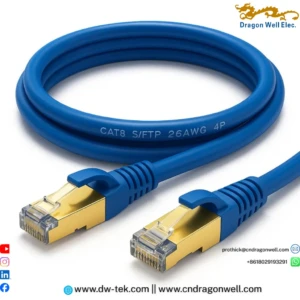
The Ethernet RJ45 port provides a wired network connection for stable, secure, and low-latency communication—common in offices, routers/switches, industrial PCs, and security systems.
Audio Ports (Mic / Line-In / Headphone)
Audio jacks are used for voice input and output: microphones, speakers, headsets, and audio systems.
Video Ports (HDMI / VGA / DVI / DisplayPort / Mini DisplayPort)
Video ports connect a PC to a monitor, TV, projector, or display system. HDMI and DisplayPort are common today, while VGA and DVI still exist in older systems.
Coaxial / S-Video / Composite
These are older media interfaces but still used in broadcast setups, specialized AV systems, and legacy equipment.
Serial & Parallel Ports (DB-9 / DB-25 / SCSI)
These ports are common in legacy hardware, industrial machinery, automation systems, and service consoles where older protocols are still required.
10 Essential Tips to Identify and Use Computer Ports Correctly
1) Start with the Port Purpose: Data, Display, Audio, or Network
A practical computer ports guide rule: first identify what you’re trying to do.
- Data/peripherals: USB
- Network: Ethernet RJ45 port
- Audio: mic/headphone/line-in
- Display: HDMI/DP/DVI/VGA
2) Know USB Types: Type-A vs Type-C
USB Type-A is the classic rectangular port. USB Type-C is the smaller reversible connector used widely on modern devices. In this computer ports guide, remember: Type-C can support different functions depending on the device (data, charging, and sometimes video).
3) Use USB 3.0/3.2 When Speed Matters
For external SSDs, large file transfer, and high-speed devices, prefer faster USB ports when available. This avoids bottlenecks and improves performance.
4) Choose RJ45 Ethernet for Stability and Security
Wi-Fi is convenient, but the Ethernet RJ45 port is still the standard for stable links in:
- offices and factories
- routers and switches
- IP cameras and NVR systems
- industrial PCs and control rooms
If the work requires uptime, wired Ethernet is often the safer choice.
5) Match Video Port to the Display (HDMI vs DisplayPort vs VGA)
In this computer ports guide, video selection depends on the monitor and system:
- HDMI: common for TVs and monitors
- DisplayPort / Mini DisplayPort: common for PCs, docking stations, high-refresh setups
- DVI/VGA: legacy, still seen in older monitors and industrial displays
6) Don’t Mix “Similar Looking” Ports Without Checking
Some ports look similar at a glance (for example, different display connectors or older IO types). Confirm the label or shape before inserting a cable to avoid damage.
7) Audio Jacks: Understand Input vs Output
Headphone-out and mic-in are not the same. If your microphone is not working, verify you are using the correct jack. Many laptops combine audio into a single headset port, while desktops often separate them.
8) Legacy Ports Still Matter in Industry
Serial DB-9, DB-25, and older interfaces are still common in:
- CNC machines
- automation controllers
- testing devices
- field service consoles
A complete computer ports guide includes legacy ports because many factories run long-life equipment.
9) Use the Right Cable Quality for Networking and AV
Ports are only as reliable as the cable and connector quality. Poor shielding or loose interfaces can cause random drops—especially for Ethernet and high-resolution display links.
10) Treat Ports as Part of a System (Connector + Cable + Device)
Real reliability comes from the full chain:
device port → connector → cable → other device.
That’s why selecting stable connectors (RJ45, USB, headers, etc.) matters for product builds and installations.
Example Scenarios: Which Port to Use in Real Life
Office Workstation Setup
- Keyboard/mouse/printer: USB
- Internet for stable meetings: Ethernet RJ45 port
- Monitor: HDMI or DisplayPort
This computer ports guide approach reduces disconnections and keeps performance stable.
Industrial PC / Control Panel
- Machine/service console: DB-9 serial
- Network to PLC/servers: Ethernet RJ45 port
- Display: HDMI/DP (or VGA in older panels)
Legacy ports remain common in industrial sites.
Conference Room / Projector Connection
- Projector: HDMI (or VGA for older projectors)
- Audio: line-out/headphone if needed
A quick check of ports prevents last-minute compatibility issues.
Surveillance & Security Systems
- Cameras and NVR: Ethernet RJ45 port
- Storage/peripheral devices: USB
Wired networking is preferred for stable camera streams.
Why Work with Dragon Well for Port & Connector Solutions
A good computer ports guide is not only about identifying ports—it’s also about choosing reliable connectivity components behind those ports. Dragon Well Electronics supports connectors, ports, and assemblies used across computing and networking products.
We support projects with:
- RJ45 connectors / modular jacks / magnetic RJ45 jacks for Ethernet devices
- USB connectors (Type-A / Type-C) for modern PC and accessory designs
- Board-level connectors and headers for internal assemblies and control boards
- Waterproof connector options for harsh environments
Internal links to add (on your site):
- RJ45 connectors category page
- USB Type-C connectors category page
- Magnetic RJ45 jack category page
- Waterproof connectors category page
Order & RFQ
Need samples or a cross-reference for RJ45, USB, or board-level connectors for your port and connectivity project?
Websites: cndragonwell.com | dw-tek.com
Email: prothick@cndragonwell.com
Connect with Us
LinkedIn: https://www.linkedin.com/company/dragon-well-electronics-co-ltd
Instagram: https://www.instagram.com/dragonwell_electronics
Facebook: https://www.facebook.com/DragonWellElectronics