What Is Server Rack Connectivity?
Server rack connectivity is the complete physical connection system inside a rack—switch ports, patch panels, connector cables, labeling, and internal interconnects that keep data flowing between servers, storage, and network switches.
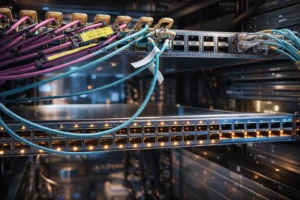
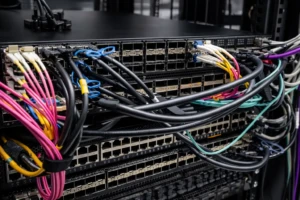
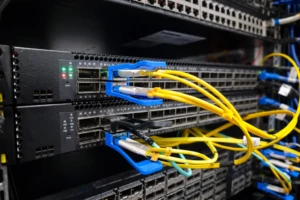
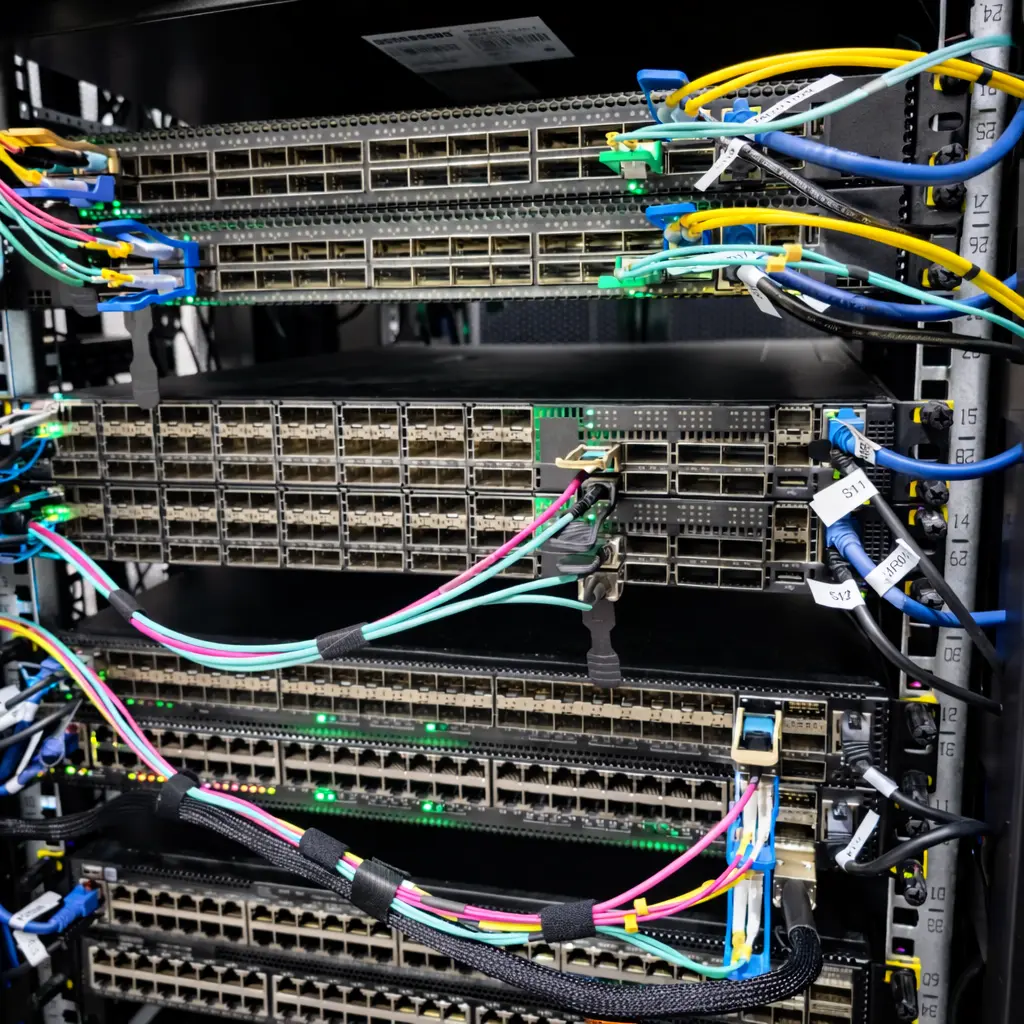
From your image, we can clearly see a high-density rack with:
- multiple switches stacked closely
- many RJ45 port rows and high-speed uplink areas
- colorful cables routed across devices
- labeled cables and bundled sections (Velcro/wrap)
In a rack like this, performance isn’t only about bandwidth. The most common problems come from the physical layer: loose connections, cable strain, poor labeling, blocked airflow, and inconsistent connector quality. That’s why choosing stable FPC connector + RJ45 + connector cable solutions matters for uptime and maintenance speed.
Quick Overview: FPC Connector + RJ45 + Connector Cable in a Rack
RJ45 Ports and Patch Connections (the most frequently touched interface)
RJ45 is the workhorse for Ethernet connections in racks—especially in access switching, management ports, and patching.
Key risk in racks: frequent plug/unplug + cable weight can damage ports over time.
Connector Cables (the “bridge” between devices and panels)
A connector cable’s reliability depends on:
- correct length and bend control
- stable plug retention
- consistent manufacturing quality
In your image, cables cross across multiple switch faces—so routing and strain relief become critical.
FPC Connectors (compact interconnect inside equipment)
FPC connectors are typically used inside server/network equipment where compact routing is needed. In rack environments, stable internal interconnect design helps:
- keep devices more reliable under vibration and temperature changes
- reduce internal wiring bulk
- improve manufacturing consistency for complex layouts
Together, FPC connector + RJ45 + connector cable choices define how stable the rack stays under real daily maintenance.
9 Essential Tips to Improve Server Rack Connectivity (FPC + RJ45 + Connector Cable)
1) Standardize cable routing paths for every rack row
Your rack image shows multiple cable paths crossing different devices. Choose a rule:
- uplinks route on the top lane
- access patch cords route on the middle lane
- management links route on a separate side lane
Consistent routing is the foundation of strong server rack connectivity.
2) Label both ends of every RJ45 connector cable
Even small racks become impossible without labeling. Use:
- Switch name + port number
- Patch panel/endpoint ID
- VLAN or function tag if needed
Good labels cut troubleshooting time dramatically.
3) Use correct cable lengths (no long loops, no tight tension)
In the image, several cables form long arcs across the rack. That creates:
- port strain
- airflow blockage
- accidental unplug risk
Right-sized RJ45 connector cable lengths keep the rack clean and serviceable.
4) Protect RJ45 ports with strain relief and support
RJ45 ports are mechanical interfaces. Avoid hanging bundles that pull on ports.
Use:
- horizontal managers
- Velcro straps
- support points before the cable reaches the port
This is essential for stable patch panel RJ45 connectors and switch ports.
5) Choose consistent, reliable RJ45 connector quality
In racks, small mechanical differences add up. Premium RJ45 connectivity reduces:
- loose fit issues
- intermittent link flaps
- premature wear from repeated insertion
For long-life racks, RJ45 quality is not optional.
6) Separate data cables from power bundles
For cleaner maintenance and reduced noise risk:
- keep power on its own route
- keep data cables on their own route
- avoid bundling power + data tightly together
This supports predictable server rack cable management.
7) Maintain airflow lanes—cables are a cooling factor
Dense racks run hot. Cable clutter blocks ventilation and raises temperatures.
In your image, cables run across device faces—so keep vent areas and airflow paths clear whenever possible.
8) Design internal interconnects with stable FPC connector selection
For devices used in server racks, internal reliability matters. A good FPC connector for server design should consider:
- secure locking/retention
- mating stability under vibration
- consistent contact performance
- predictable assembly during production
Stable internal FPC design reduces device-level failures that are painful to troubleshoot in a live rack.
9) Build for change: keep documentation and spare capacity
Racks evolve. Good server rack connectivity includes:
- updated port maps
- reserved spare ports
- planned cable lanes for expansion
Without this, racks quickly become unmanageable after upgrades.
Example Scenarios: What Your Rack Image Represents
Data Center Access Layer
Many RJ45 and patch connections require structured labeling and clean routing to keep changes safe.
Server Room with Frequent Maintenance
Technicians patch/unpatch often. Strain relief and consistent cable rules prevent downtime.
Mixed Network + Management Cabling
RJ45 management ports, uplinks, and patching must be separated logically to avoid mistakes.
Why Work with Dragon Well for Rack Connectivity
Dragon Well Electronics supports connectivity components used across network equipment and structured cabling ecosystems—helping OEMs and integrators build reliable physical layers.
We can support projects with:
- RJ45 connectors / modular jacks for Ethernet interfaces
- magnetic RJ45 jacks for integrated Ethernet designs
- FPC connector solutions for compact internal routing and device design
- connector cable matching to improve fit, retention, and production consistency
Internal links to add on your website:
- RJ45 Connectors category page
- Magnetic RJ45 Jacks category page
- FPC Connectors category page
- Cable assembly / harness category page
Order & RFQ
Need samples or cross-reference support for FPC connector + RJ45 + connector cable requirements in rack-based products?
Websites: cndragonwell.com | dw-tek.com
Email: prothick@cndragonwell.com
Connect with Us
LinkedIn: https://www.linkedin.com/company/dragon-well-electronics-co-ltd
Instagram: https://www.instagram.com/dragonwell_electronics
Facebook: https://www.facebook.com/DragonWellElectronics