What Is an SFP / QSFP Network Switch Case?
An SFP QSFP network switch is a high-density switch platform that uses SFP/SFP+ and QSFP/QSFP+ / QSFP28 ports for uplinks, inter-switch links, and high-throughput connections in data centers, enterprise cores, and server rooms.
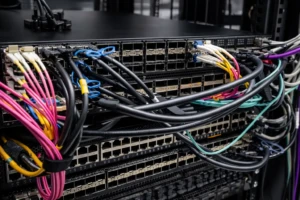
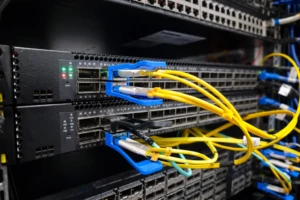
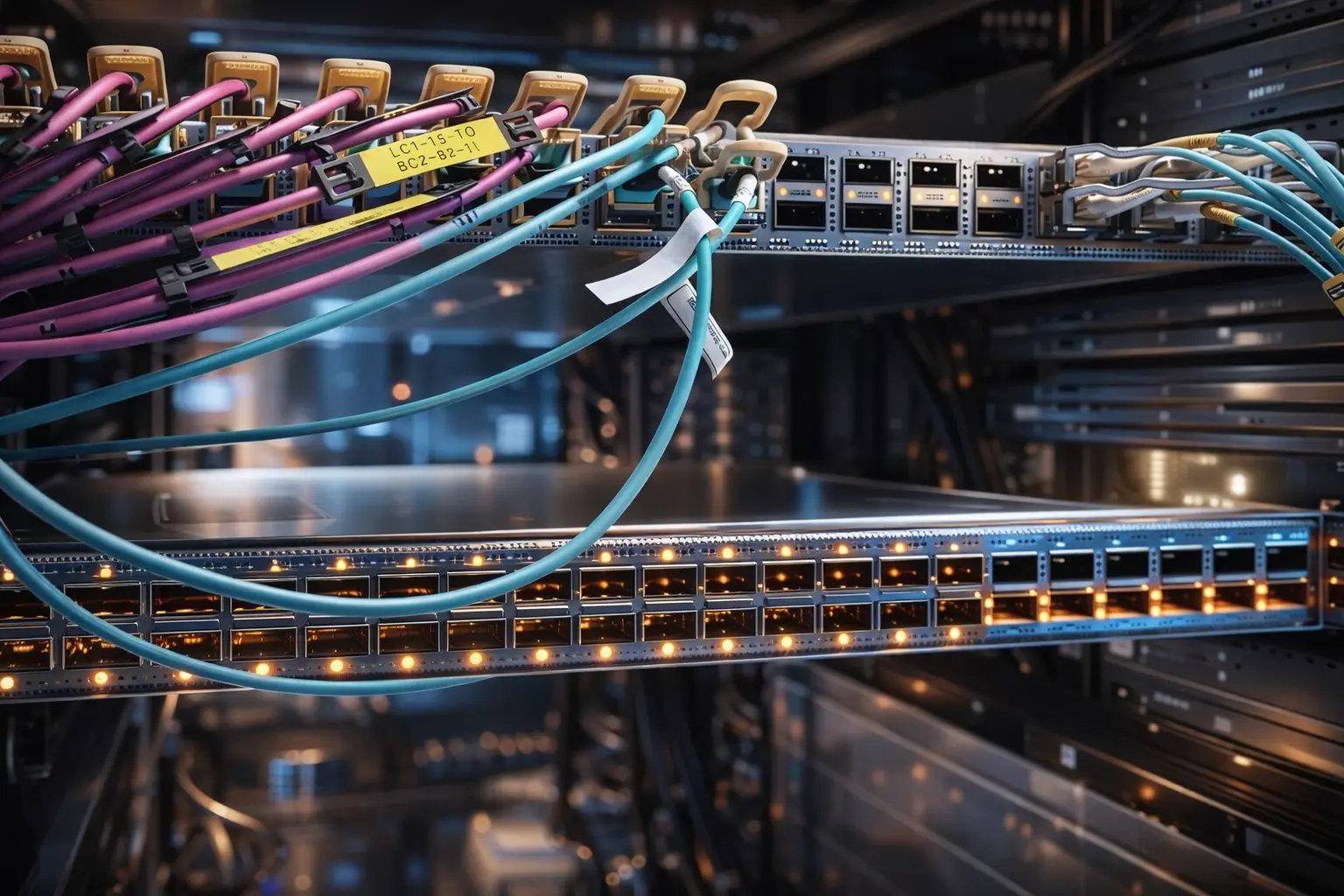
A “network switch SFP / QSFP case” refers to the real-world deployment scenario—like the picture you shared—where multiple switches are installed in a rack with fiber and high-speed cables, labeled patching, and dense port rows. In these environments, uptime depends on more than bandwidth. It depends on how you handle optics, route cables, protect ports, and maintain airflow.
Quick Overview of SFP vs QSFP in Switching
Here’s a simple view of how SFP and QSFP are typically used in a network switch SFP ports environment:
SFP / SFP+ (Common for Uplinks and Server Links)
Best for: 1G/10G links (depending on module and switch)
Typical use: server connections, aggregation links, access-to-core uplinks
Key point: high density, flexible optics/copper module options
QSFP Family (Higher Bandwidth Links)
Best for: high-throughput switching backbones and interconnects
Typical use: spine-leaf architectures, ToR uplinks, core switching
Key point: more lanes and higher capacity per port (module dependent)
In a real SFP QSFP network switch rack, the goal is always the same: stable optics, predictable routing, and easy service without accidental unplugging.
9 Essential Tips for an SFP / QSFP Network Switch Case
1) Label every SFP/QSFP link clearly (both ends)
Your photo shows labeled cables—this is exactly what prevents downtime. Label format should include:
- rack + switch name
- port number
- destination switch/server/patch panel
In an SFP QSFP network switch case, labeling saves time during upgrades and urgent troubleshooting.
2) Separate uplinks and access links into different cable paths
High-speed uplinks should not be mixed with general patching. Use dedicated routing lanes so technicians don’t disturb critical backbone connections.
This is a simple way to reduce risk in dense data center switch optics racks.
3) Keep bend radius safe (especially for fiber and DAC/AOC)
Optics cabling is sensitive to sharp bends. Route cables with smooth curves and avoid tight turns near ports.
A safe bend radius reduces signal loss and helps prevent intermittent errors in an SFP QSFP network switch environment.
4) Use proper cable managers to prevent port strain
In the picture, cables cross the front and hang across the switch face. Without support, cable weight can stress ports over time.
Use horizontal and vertical managers so cables are supported before they reach the port—especially for thick bundles and heavier assemblies.
5) Maintain a clean airflow lane (cables are also thermal risk)
Dense optics racks generate heat. Cable clutter blocks airflow and can increase temperature.
A clean SFP cable management approach keeps vents and front faces clear, improving reliability.
6) Standardize optics and patching rules (reduce mismatch problems)
In a mixed rack, inconsistency is a common failure source. Standardize:
- which ports are SFP vs QSFP uplinks
- which cables are DAC vs AOC vs fiber
- which color means which network role (uplink, storage, management)
This makes your network switch SFP / QSFP case easier to maintain across teams.
7) Handle transceivers correctly during changes
SFP/QSFP modules are not “plug and forget” in high-change racks. Avoid:
- pulling transceivers by the cable
- inserting/removing without release mechanism
- swapping modules without checking compatibility rules
Correct handling reduces port damage and keeps the SFP QSFP network switch stable long-term.
8) Plan spare capacity and keep port maps updated
Optics racks expand fast. Keep:
- reserved uplink ports
- documented port maps
- consistent naming rules
This prevents emergency patching that turns a clean rack into chaos.
9) Protect the physical interface quality (connectors and mating consistency)
Even with perfect network configuration, poor physical interfaces can cause link flaps and errors.
A premium SFP QSFP network switch deployment depends on stable physical connectivity—consistent interfaces, reliable mating, and quality-controlled assemblies.
Example Scenarios: How SFP/QSFP Switching Is Used
Spine-Leaf Data Center Fabric
Recommended: QSFP uplinks + clean routing lanes
Why: high-throughput backbone requires stable optics and fast service
Top-of-Rack to Aggregation
Recommended: SFP/SFP+ for server links + QSFP for uplinks
Why: balances port density and uplink capacity
Enterprise Core / Campus Backbone
Recommended: documented port maps + standardized optics selection
Why: reduces mistakes during planned maintenance and expansions
Why Work with Dragon Well for Network Connectivity
High-density switching relies on stable physical connectivity beyond the optics module itself. Dragon Well Electronics supports connectors, ports, and assemblies used in networking products and connectivity ecosystems—helping OEMs and integrators build reliable systems.
We can support networking projects with:
- SFP/QSFP and optics module connectivity-related components (where applicable in the device ecosystem)
- RJ45 connectors / modular jacks for access switching and Ethernet ports
- PCB connectors / headers for switch boards and control modules
- Custom matching support for production consistency and integration needs
Internal links to add (your site pages):
- SFP/QSFP optics module category page
- RJ45 connectors category page
- Cable assembly / harness page (if available)
Order & RFQ
Need samples or cross-reference support for networking connectivity components used in switch systems?
Websites: cndragonwell.com | dw-tek.com
Email: prothick@cndragonwell.com
Connect with Us
LinkedIn: https://www.linkedin.com/company/dragon-well-electronics-co-ltd
Instagram: https://www.instagram.com/dragonwell_electronics
Facebook: https://www.facebook.com/DragonWellElectronics