What Is an Isometric Ethernet Switch Vector?
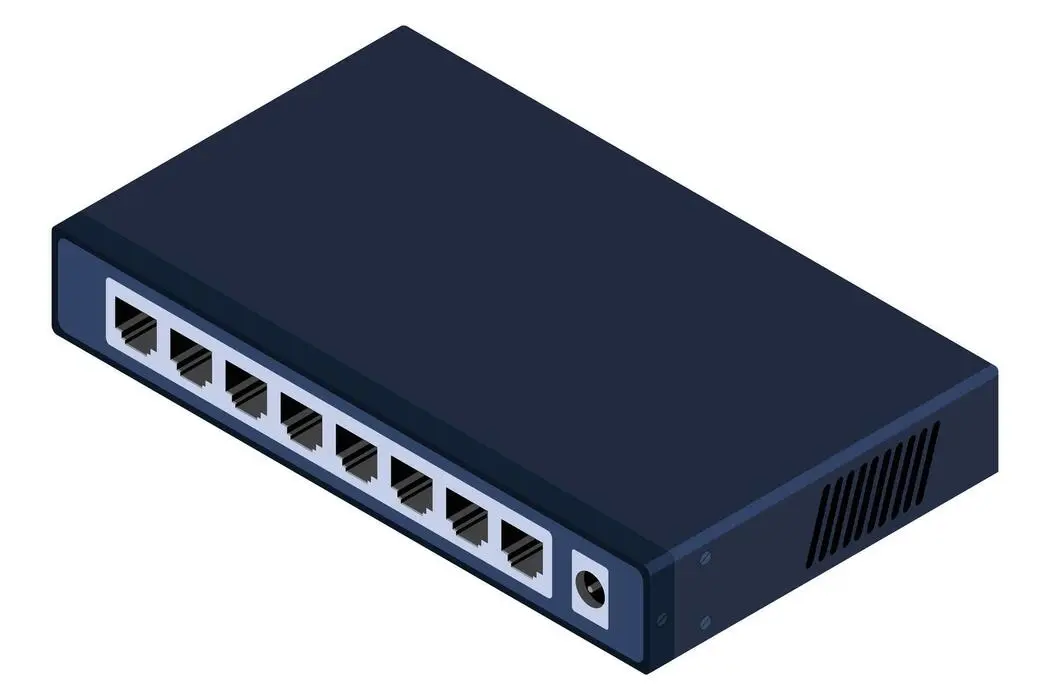
Isometric ethernet switch vector artwork is a scalable illustration (usually AI/SVG/EPS) that shows an Ethernet switch in a 3D-like angle while staying technically clean and easy to edit. This style is widely used in network diagrams, IoT system visuals, product pages, datasheets, presentations, and website blogs because it looks modern and helps viewers understand “what connects to what” at a glance.
A good isometric ethernet switch vector typically highlights the key physical cues—RJ45 ports, port spacing, front panel layout, indicator areas, and overall chassis shape—while keeping the design simple enough to fit inside infographics and web layouts.
Quick Overview of an Isometric Ethernet Switch Vector
Below is a simple breakdown of what makes a strong isometric network technology illustration for an Ethernet switch.
1) Core shape (chassis + perspective)
Clean isometric angle, consistent depth, and balanced proportions.
2) Front panel detail (RJ45 ports)
Port count, spacing, and the “socket geometry” should look realistic.
3) Surface materials (metal/plastic feel)
Use subtle gradients and highlights so the device looks premium—not flat.
4) Branding zone (logo/label area)
A clear place for a logo or model name without clutter.
5) Use-case compatibility (diagram-ready)
The illustration should work with icons like cameras, sensors, access control, LED fixtures, servers, and Wi-Fi APs.
8 Essential Tips for a Realistic Isometric Switch Illustration Vector
1) Start with correct port layout and proportions
For a convincing ethernet switch illustration vector, the RJ45 ports must be evenly aligned and consistent in size. Incorrect spacing makes the switch look “fake” even if shading is good.
2) Use consistent isometric angles across all faces
Your isometric ethernet switch vector should keep the same angle for top, side, and front faces. Mixing angles breaks realism instantly in tech visuals.
3) Add depth to ports (don’t draw them as flat squares)
RJ45 ports look best when they have visible depth: an inner shadow, a slight bevel, and a clear opening. This one detail improves “realistic isometric switch illustration” quality a lot.
4) Keep lighting simple: one light direction only
Choose one light direction (top-left or top-right) and keep highlights consistent. For an isometric network technology illustration, clean lighting is more important than complex effects.
5) Use subtle gradients and edges to show materials
A switch body often looks like coated metal or matte plastic. Use gentle gradients for the top panel and slightly darker edges for side faces. This keeps the network switch vector professional and modern.
6) Leave a clear branding area (logo/model zone)
Your vector should include space for branding (like the top panel). This helps for product pages, catalogs, and marketing content—especially when you need multiple variants of the same illustration.
7) Design it to work in real network diagrams
Most people use an isometric ethernet switch vector inside a diagram showing connected devices (cameras, sensors, signage, doors, servers). Keep the device readable at small sizes and avoid tiny “micro details” that disappear on mobile.
8) Export in web-friendly formats with crisp edges
For website use, export as SVG (best for web) and also keep AI/EPS for editing. A clean ethernet switch illustration vector should stay sharp at any size.
Example Scenarios: Where an Isometric Ethernet Switch Vector Works Best
Smart Building / IoT Diagram
Use an isometric ethernet switch vector as the center hub, then connect icons like sensors, LED fixtures, access control, signage, Wi-Fi access points, cameras, and a server.
Product Page Hero Image
A realistic ethernet switch illustration vector looks clean on white backgrounds and helps customers immediately understand “this is networking hardware.”
Datasheets and Catalogs
A consistent network switch vector style makes your catalog look unified across multiple models and port counts.
Training Slides and Sales Decks
Isometric visuals help explain PoE, VLAN segmentation, or how wired switching supports reliable IoT connectivity—without needing complex photos.
Why Work with Dragon Well for Your Ethernet Connectivity
Many networking visuals revolve around real hardware—especially RJ45 ports, modular jacks, and magnetic RJ45 interfaces used in switches, routers, gateways, and IoT devices. Dragon Well Electronics focuses on connectors, ports, and assemblies that support reliable Ethernet connectivity in real applications.
We can support projects that need:
- RJ45 connectors / modular jacks for LAN interfaces
- Magnetic RJ45 jacks for Ethernet device designs
- PCB connectors / headers for boards and gateways
- Waterproof connectors for outdoor/industrial deployments
- Cross-reference matching to meet pinout, plating, and packaging needs
Internal links to add (use your real page URLs):
- RJ45 Connectors category page
- Magnetic RJ45 Jack category page
- Waterproof Connectors category page
Order & RFQ
Need samples or a cost-down cross-reference for RJ45 connectors that match your Ethernet connectivity project?
Websites: cndragonwell.com | dw-tek.com
Email: prothick@cndragonwell.com
Connect with Us
LinkedIn: https://www.linkedin.com/company/dragon-well-electronics-co-ltd
Instagram: https://www.instagram.com/dragonwell_electronics
Facebook: https://www.facebook.com/DragonWellElectronics